
This post was entirely written by a human, with no assistance from LLMs or other "AI" technology such as pervert glasses or autonomous weapon systems.
I've mentioned cljcastr here before, but in a very tongue in cheek fashion. Since then, cljcastr has turned into a serious project to create a set of tools for producing and self-hosting podcasts. The project has two simple principles:
cljcastr is hosted on Codeberg at jmglov/cljcastr.
In this blog post, I'm going to demonstrate the cljcastr ethos by implementing a simple podcast player in ClojureScript, using the mighty Scittle.
To get started, we're going to need a Babashka project set up to serve files from a local webserver. Let's create a cljcastr directory:
mkdir cljcastr
And now pop a bb.edn into it:
{:deps {io.github.babashka/sci.nrepl
        {:git/sha "80ec956af5e6610b040089ba62eecb5d223e9e76"}
        io.github.babashka/http-server
        {:git/sha "b38c1f16ad2c618adae2c3b102a5520c261a7dd3"}}

 :tasks
 {http-server {:doc "Starts http server for serving static files"
               :requires ([babashka.http-server :as http])
               :task (do (http/serve {:port 1341 :dir "resources/public"})
                         (println "Serving static assets at http://localhost:1341"))}

  browser-nrepl {:doc "Start browser nREPL"
                 :requires ([sci.nrepl.browser-server :as bp])
                 :task (bp/start! {})}

  -dev {:depends [browser-nrepl http-server]}

  dev {:doc "Development build. Starts webserver and watches for changes."
       :task (do (run '-dev {:parallel true})
                 (deref (promise)))}}
}
Now create a resources/public directory:
mkdir -p resources/public/
Drop an index.html in that directory:
<html xmlns="http://www.w3.org/1999/xhtml">

<head>
  <title>cljcastr episode player</title>

  <script src="https://cdn.jsdelivr.net/npm/scittle@0.8.33/dist/scittle.js" type="application/javascript"></script>
  <script>var SCITTLE_NREPL_WEBSOCKET_PORT = 1340;</script>
  <script src="https://cdn.jsdelivr.net/npm/scittle@0.8.33/dist/scittle.nrepl.js" type="application/javascript"></script>

  <script type="application/x-scittle" src="player.cljs"></script>
</head>

<body>
</body>

</html>
And finally, a player.cljs in the same directory that does naught but declare a namespace:
(ns cljcastr.player)

(js/console.log "Ready to play!")
Thus equipped, invoke Babashka from the top-level cljcastr directory thusly:
bb dev
Babashka will helpfully tell you where you can find your player:
Serving static assets at http://localhost:1341
nREPL server started on port 1339...
Websocket server started on 1340...
If you browse to localhost:1341, you'll see an amazingly blank page titled "cljcastr episode player". If you open the JavaScript console in dev tools (Ctrl + Shift + i in many browsers), you should see the player reporting for duty:
  Ready to play!                                                    core.cljs:80
>
So let's play!
In addition to the HTTP server serving up static files from our resources/public directory, we have an nREPL server listening on port 1339 and a websocket server on port 1340. When we loaded the index.html webpage in the browser, scittle.nrepl opened a websocket connection to port 1340 and started listening for commands. In order to send it some commands, we will need to connect an nREPL client to the nREPL server on port 1339. Let's do it!
This section assumes that you are a reasonable person and are thus using Emacs with CIDER, but if you've unreasonably chosen to use a lesser editor or one of those new-fangled "IDEs" like Cursive or Calva, you probably know how to operate nREPL in that editor, so just translate accordingly.
First, we open up player.cljs in our editor. Next, we use CIDER's cider-connect-cljs command (C-c M-C) to connect to localhost on port 1339, choosing REPL type nbb when prompted. CIDER should open a REPL buffer that says something like this:
;; Connected to nREPL server - nrepl://localhost:1339
;; CIDER 1.12.0 (Split)
;;
;; ClojureScript REPL type: nbb
;;
nil>
Now we're all set up for interactive development, so let's interact. First, execute cider-load-buffer (C-c C-k) in the player.cljs buffer. If you're watching the JS console in your browser, you'll see something like the following pop up:
  Ready to play!                                                   nrepl.cljs:10
>
And meanwhile in your terminal, you'll see the nREPL server log some output:
:msg "{:value \"nil\", :id \"246\", :session \"e443955d-e285-4d5b-bbde-9b7f21f1561c\", :ns \"cljcastr.player\"}"
:msg "{:status [\"done\"], :id \"246\", :session \"e443955d-e285-4d5b-bbde-9b7f21f1561c\", :ns \"cljcastr.player\"}"
We've now completed the circle of LISP, meaning we can control everything on our player page with ClojureScript! 💥
Let's try some simple arithmetic just to get a sense of the power at our fingertips. In the player.cljs buffer, we'll add a Rich
comment and some code:
(comment

  (+ 1 2)

  )
Positioning our cursor right after the (+ 1 2) form, we hit C-c C-v f c e to execute cider-pprint-eval-last-sexp-to-comment, and are rewarded by a nice comment being inserted on the next line:
(comment

  (+ 1 2)
  ;; => 3

  )
We can also print this result to the browser console by adding another line inside the (comment) form:
(comment

  ;; ...

  (js/console.log (+ 1 2))

  )
If you're using CIDER with an autocomplete setup, you should actually see completion candidates popping up as you type. 🤯
If you position the cursor after the form and evaluate it again with C-c C-v f c e, you'll get a comment on the next line saying
;; => nil
This is somewhat underwhelming, but if you take a peek at your browser console, you'll be more satisfied:
  3                                                                nrepl.cljs:10
>
Can we have our cake and eat it too? (Note that from here on, I'll assume you're whacking C-c C-v f c e after the new form you add, which will produce the ;; => comment on the next line.)
(comment

  ;; ...

  (doto (+ 1 2)
    js/console.log)
  ;; => 3

  )
Now we're cooking with biofuel!
Let's try something a little more complex:
(comment

  ;; ...

  (doto (map inc (range 5))
    js/console.log)
  ;; => (1 2 3 4 5)

  )
This is great, but what in the world is happening over in the browser console?
  ‣ $APP.gg {J: null, na: null, I: null, F: 32374988, ma: ƒ, …}    nrepl.cljs:10
>
If we click on the ‣, things get even wilder:
  ‣ $APP.gg {J: null, na: null, I: null, F: 32374988, ma: ƒ, …}    nrepl.cljs:10
      F: 32374988
      I: null
      J: null
      M: 1
      ma: null
    ‣ na: $APP.lg {hc: kg, Zc: $…P.gg, J: null, I: null, F: 31850732, …}
    ‣ [[Prototype]]: Object
>
What we're seeing is a JavaScript representation of a ClojureScript vector. This is of course super cool and all, but not so readable (unless you're Rich Hickey and you don't even see the persistent data structures but just the woman in the red dress). Let's see if we can do better:
(comment

  ;; ...

  (doto (->> (map inc (range 5))
             clj->js)
    js/console.log)
  ;; => #js [1 2 3 4 5]

  )
The browser console is looking good!
‣ (5) [1, 2, 3, 4, 5] nrepl.cljs:10
But life inside our (comment) form is less idyllic. What's up with this nonsense?
;; => #js [1 2 3 4 5]
Now we're seeing ClojureScript's JavaScript data literal. 😅
Let's try one more thing:
(comment

  ;; ...

  (let [res (map inc (range 5))]
    (js/console.log (clj->js res))
    res)
  ;; => (1 2 3 4 5)

  )
That's much better! Now how about we extract this to a function so we can use it to log stuff?
(ns cljcastr.player)

(defn log [v]
  (js/console.log (clj->js v))
  v)

(comment

  ;; ...

  (log (map inc (range 5)))
  ;; => (1 2 3 4 5)

  )
Good stuff. Thus equipped, we can start sprucing up this empty webpage.
Let's add an h1 HTML element to the page to let users know what's up. The obvious way to do this would be to open up index.html and drop in something like this:
<body>
  <h1>cljcastr player</h1>
</body>
However, this would require a page reload for us to see the changes, and that would blow away the state we've carefully built up in our REPL. 😭
Let's see if we can do this in the REPL instead. The basic idea is this:
And if we were to call an imaginary eng->clj function, that would look something like this:
(comment

  ;; ...

  ;; 1. Create an **h1** element.
  (def h1 (js/document.createElement "h1"))
  ;; => #'cljcastr.player/h1

  ;; 2. Set its inner text to "cljcastr player".
  (set! (.-textContent h1) "cljcastr player")
  ;; => "cljcastr player"

  ;; 3. Grab the **body** element that we helpfully put in our HTML page skeleton.
  (def body (js/document.querySelector "body"))
  ;; => #'cljcastr.player/body

  ;; 4. Add the new **h1** element as a child of the **body** element.
  (.appendChild body h1)
  ;; => #object[HTMLHeadingElement [object HTMLHeadingElement]]

  )
Et voilà! Our boring page has been transformed into an amazing feast for the eyes!
Before moving on, let's take a brief detour into a new JavaScript literal:
;; => #object[HTMLHeadingElement [object HTMLHeadingElement]]
This is a bit opaque, but we can always feed it to our log function to make it nicely inspectable in the console:
(comment

  ;; ...

  (log h1)
  ;; => #object[HTMLHeadingElement [object HTMLHeadingElement]]

  )
The console will render this as:
<h1>cljcastr player</h1> nrepl.cljs:10
Let's find ourselves the URL of a random podcast episode and add an audio element to the page:
(comment

  ;; ...

  (def audio (js/document.createElement "audio"))
  ;; => #'cljcastr.player/audio

  (set! (.-controls audio) true)
  ;; => true

  (set! (.-src audio)
        "https://media.zencastr.com/audio-files/5d9048546bacd9001de88f1c/2abc6f33-6a0a-4658-a8e0-c811984c13a0.mp3")

  (->> audio
       (.appendChild body))
  ;; => #object[HTMLAudioElement [object HTMLAudioElement]]

  (log audio)
  ;; => #object[HTMLAudioElement [object HTMLAudioElement]]

)
Now we should see an audio player pop up on screen!
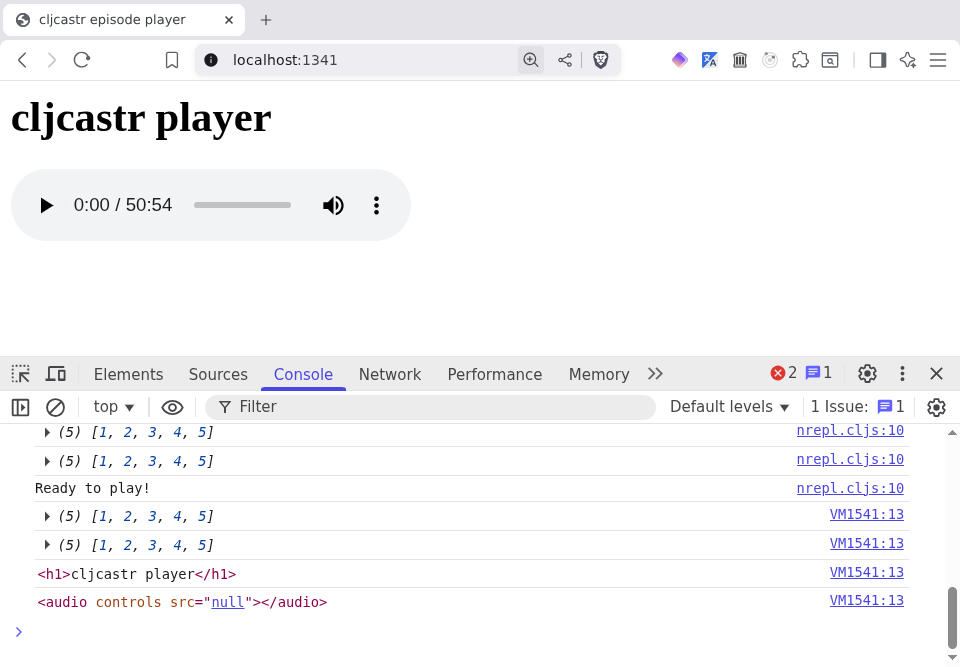
And if we click play, we hear the defn theme music.
We could declare victory right here, but we're missing a few things that a podcast player usually has, such as:
Let's see what we can do about that.
The standard HTML audio control is functional, but a bit boring. In our hubris, we decide we can do way better than that!
Let's look at a typical podcast player for inspiration:
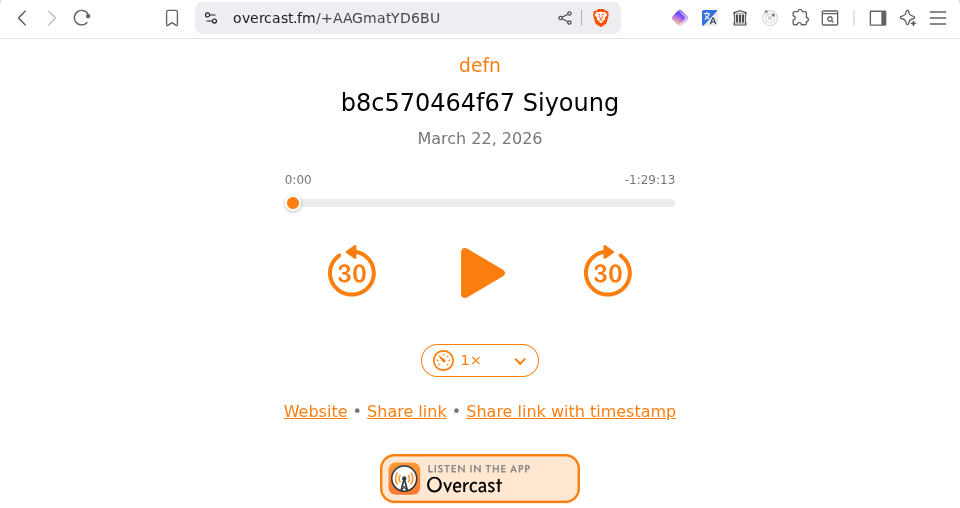
It looks like we'll want the following buttons:
Let's see if we can find some nice vector graphics for our buttons. SVG Repo is a great place to start, and a search there for "play" turns up a nice looking SVG named Play Circle Fill SVG, which is provided under the MIT Licence. That looks promising!
Better yet, the SVG is part of a collection called [Framework7 Filled Icons] (https://www.svgrepo.com/collection/framework7-filled-icons/). Let's click into that and see if we can find some SVGs for other useful media player buttons. Searching within the collection, we find a nice Pause button, but nothing for the other three we need. 😭
No matter! We widen our search to all of SVG Repo and find nice graphics for the rest. Here's where we land:
Let's create a set of HTML images for each. We'll start by defining a map to describe them:
(comment

  ;; ...

  (def playback-controls
    {:play {:src "https://www.svgrepo.com/show/436852/play-circle-fill.svg"
            :label "Play"}
     :pause {:src "https://www.svgrepo.com/show/436829/pause-circle-fill.svg"
             :label "Pause"}
     :forward {:src "https://www.svgrepo.com/show/495321/forward-15-seconds.svg"
               :label "Forward {{seek-dur-sec}} seconds"}
     :backward {:src "https://www.svgrepo.com/show/495036/backward-15-seconds.svg"
             :label "Back {{seek-dur-sec}} seconds"}
     :speed {:src "https://www.svgrepo.com/show/151785/speed-meter.svg"
             :label "Playback speed"}})
  ;; => #'cljcastr.player/playback-controls

  (def seek-dur-sec 15)
  ;; => #'cljcastr.player/seek-dur-sec

  )
Now we can map over the map (yeah yeah, I know) to create our img elements:
(comment

  ;; ...

  (def playback-buttons
    (->> playback-controls
         (map (fn [[control-name {:keys [src label]}]]
                (let [el (js/document.createElement "img")]
                  (set! (.-id el) (str "button-" (name control-name)))
                  (set! (.-classList el) "cljcastr playback-icon")
                  (set! (.-src el) src)
                  (set! (.-draggable el) false)
                  el)))
         log))
  ;; => #'cljcastr.player/playback-buttons

  )
Note that we're adding a playback-icon class to the element in addition to our standard cljcastr class, and also giving the element an ID so it's easy to grab it with a CSS selector later. We also set the draggable attribute to false to prevent drag-and-drop silliness from happening.
Now, how about a container to hold them?
(comment

  ;; ...

  (def playback-controls-container
    (-> (let [el (js/document.createElement "div")]
          (set! (.-id el) "playback-controls")
          (set! (.-classList el) "cljcastr")
          el)
        log))
  ;; => #'cljcastr.player/playback-controls-container

  (doseq [el playback-buttons]
    (.appendChild playback-controls-container el))
  ;; => nil

  )
Finally, let's display the controls!
(comment

  ;; ...

  (.appendChild body playback-controls-container)
  ;; => #object[HTMLDivElement [object HTMLDivElement]]

  )
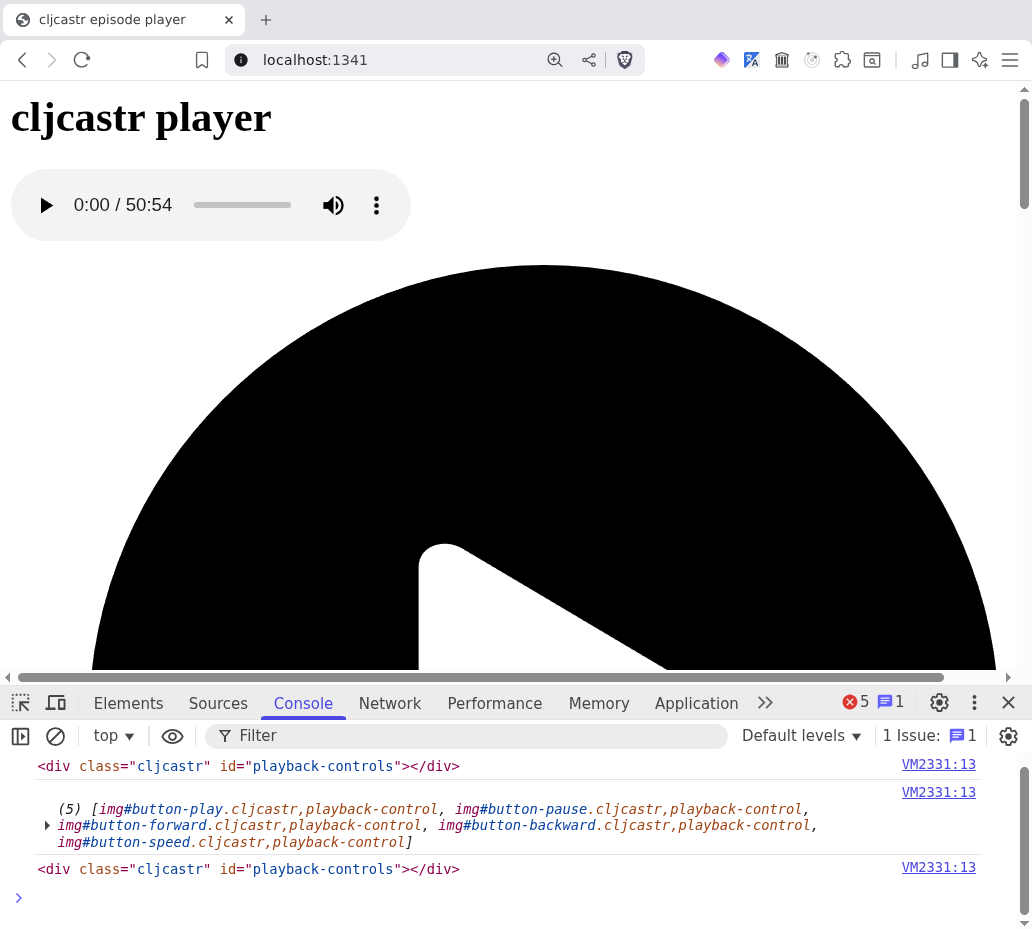
Let's set the width of the images to a more reasonable size:
(comment

  ;; ...

  (doseq [el playback-buttons]
    (set! (.-style el) "width: 35px"))
  ;; => nil

  )
That's much better! However, this black and white page is starting to bum us out.
Since our controls are SVGs, we can use the magic of CSS filters to colour them.
Let's start by picking a colour, and what better colour for the sake of this demo than a lovely amber sort of shade called #f7931e. Of course, CSS filters can't be specified in something as prosaic as hex colour codes, so we'll use a magic CodePen thingy to generate a filter from our hex code. (We could also port the JavaScript from this
spectacular StackOverflow
answer to ClojureScript, but we kinda don't feel like it.)
What we come up with is this:
filter: invert(59%) sepia(92%) saturate(611%) hue-rotate(343deg) brightness(97%) contrast(99%);
We can now add this as a style to our img tags:
(comment

  ;; ...

  (doseq [el playback-buttons]
    (set! (.-style el)
          (str "width: 35px; filter: invert(59%) sepia(92%) saturate(611%) "
               "hue-rotate(343deg) brightness(97%) contrast(99%);")))
  ;; => nil

  )
Better!
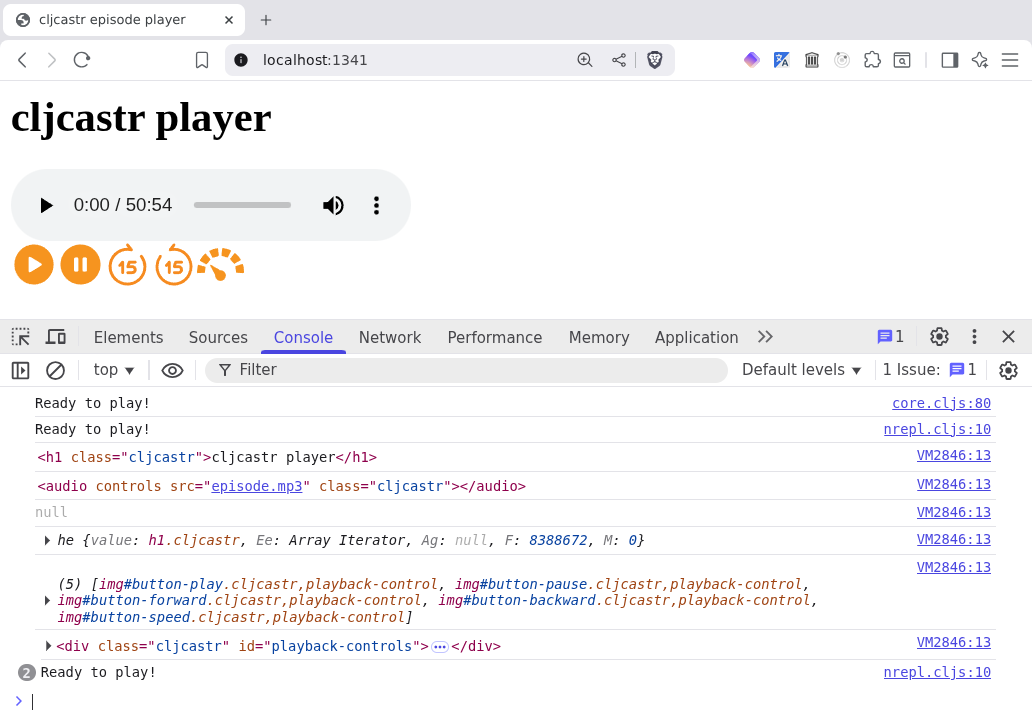
One thing that's slightly annoying is that we had to remember to include to include the width style when we added the filters. Why don't we write some code that adds a style to an existing element whilst preserving existing styles?
First, let's help ourselves out by pulling in clojure.string:
(ns cljcastr.player
  (:require [clojure.string :as str]))

;; ...

(comment

  ;; ...

  ;; What do styles look like?
  (-> playback-buttons
      first
      (.getAttribute "style"))
  ;; => "width: 35px; filter: invert(59%) sepia(92%) saturate(611%)
  ;;     hue-rotate(343deg) brightness(97%) contrast(99%);"

  ;; Parse into a list of styles
  (-> playback-buttons
      first
      (.getAttribute "style")
      (str/split #";\s+"))
  ;; => ["width: 35px"
  ;;     "filter: invert(59%) sepia(92%) saturate(611%)
  ;;      hue-rotate(343deg) brightness(97%) contrast(99%);"]

  ;; Turn it into a map
  (let [styles (-> playback-buttons
                   first
                   (.getAttribute "style")
                   (str/split #";\s+"))]
    (->> styles
         (map #(let [[k v] (str/split % #":\s+")]
                 [(keyword k) v]))
         (into {})))
  ;; => {:width "35px",
  ;;     :filter "invert(59%) sepia(92%) saturate(611%)
  ;;              hue-rotate(343deg) brightness(97%) contrast(99%);"}

  )
Now we have a thing that we can easily turn into a function!
(ns cljcastr.player
  (:require [clojure.string :as str]))

;; (defn log ...)

(defn get-styles
  "Returns the inline styles of an element as a map of style name to value."
  [el]
  (let [styles (-> el
                   (.getAttribute "style")
                   (str/split #";\s+"))]
    (->> styles
         (map #(let [[k v] (str/split % #":\s+")]
                 [(keyword k) v]))
         (into {}))))

;; ...

(comment

  ;; ...

  (-> playback-buttons
      first
      get-styles)
  ;; => {:width "35px",
  ;;     :filter "invert(59%) sepia(92%) saturate(611%)
  ;;              hue-rotate(343deg) brightness(97%) contrast(99%);"}

  )
How about going the other direction, i.e. turning a map of styles into a style string?
(comment

  ;; ...

  (->> {:width "35px", :height "35px"}
       (map (fn [[k v]]
              (str (name k) ": " v)))
       (str/join "; "))
  ;; => "width: 35px; height: 35px"

  )
From this, 'tis merely a hop, skip, and a jump to write a function that sets the styles of an element:
(ns cljcastr.player
  (:require [clojure.string :as str]))

;; (defn get-styles ...)

(defn set-styles!
  "Sets the styles of an element from a map of style name to value."
  [el styles]
  (let [styles-str (->> styles
                        (map (fn [[k v]]
                               (str (name k) ": " v)))
                        (str/join "; "))]
    (set! (.-style el) styles-str))
  el)

;; ...

(comment

  ;; ...

  ;; Back to black!
  (doseq [el playback-buttons]
    (set-styles! el {:width "35px"}))
  ;; => nil

  )
Finally, let's put this together and create a function that adds a style instead of replacing all the existing ones:
(ns cljcastr.player
  (:require [clojure.string :as str]))

;; ...
;; (defn set-styles! ...)

(defn add-style!
  "Adds a style to an element"
  [el style-name style-value]
  (let [styles (get-styles el)]
    (set-styles! el (assoc styles (name style-name) style-value)))
  el)

;; ...

(comment

  ;; ...

  ;; Amber is the new black
  (doseq [el playback-buttons]
    (add-style! el :filter
                (str "invert(59%) sepia(92%) saturate(611%) "
                     "hue-rotate(343deg) brightness(97%) contrast(99%)")))
  ;; => nil

  )
Now that we have visually stunning buttons, let's actually make them do something.
Or rather, let's do something that allows us to make them do something. 😅
Remember how we added a cljcastr class to the buttons so we could easier grab them with js/document.querySelector? Well, we didn't do this to our poor audio element, which will now cause us a problem:
(comment

  ;; ...

  (-> (js/document.querySelector "audio")
      log)
  ;; => #object[HTMLAudioElement [object HTMLAudioElement]]

  )
Seems OK in the REPL, but if we look at the JS console, things (might not, depending on your browser and which extensions you have installed) look so good:
<audio class="audio-for-speech" src></audio> nrepl.cljs:10
Seems like my browser is set up with a screen reader, which is very nice for accessibility, but not nice for Clojure programmers who didn't get enough hammock time. Let's add a class so we can use a more precise selector:
(comment

  ;; ...

  (set! (.-classList audio) "cljcastr")
  ;; => "cljcastr"

  (-> (js/document.querySelector "audio.cljcastr")
      log)
  ;; => #object[HTMLAudioElement [object HTMLAudioElement]]

  )
And now the console looks more like what we expected:
  <audio class="cljcastr" controls                                 nrepl.cljs:10
  src="https://media.zencastr.com/audio-files/5d9048546bacd9001de88f1c/2abc6f33-6a0a-4658-a8e0-c811984c13a0.mp3">
  </audio>
Now we can proceed with making our buttons come alive:
(comment

  ;; ...

  ;; Grab the play button
  (def play-button (js/document.querySelector "#button-play"))
  ;; => #'cljcastr.player/play-button

  ;; Add a click handler
  (.addEventListener play-button "click"
                     (fn [ev]
                       (log ev)
                       (.play (js/document.querySelector "audio.cljcastr"))))
  ;; => nil

  )
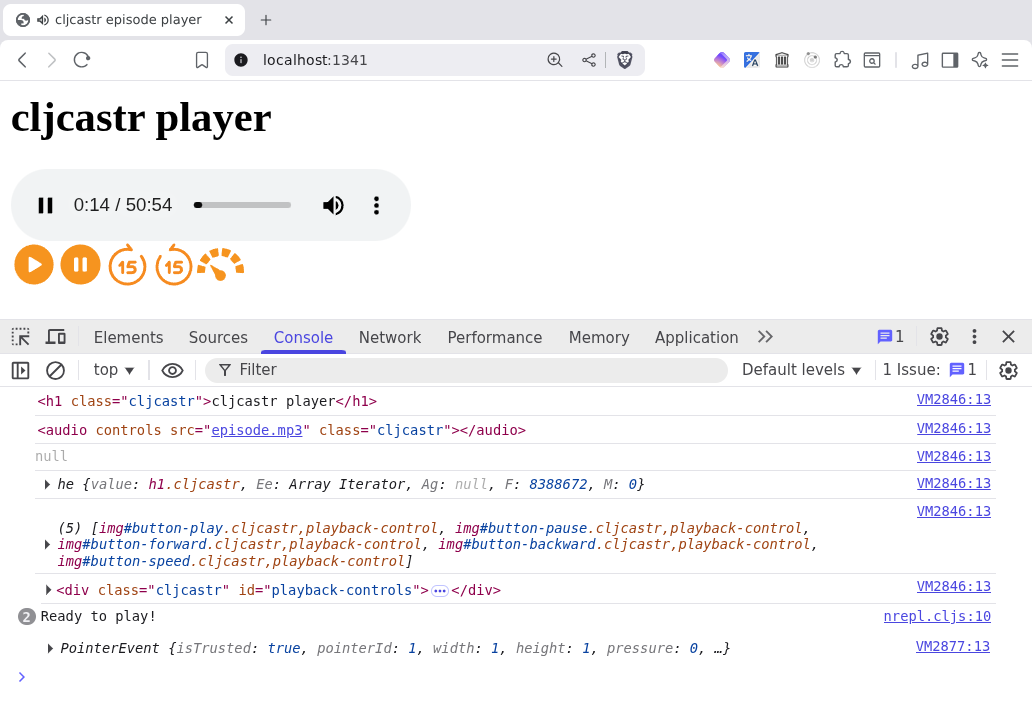
If we click the button, we hear the podcast start playing, and can see the playback position in the standard HTML audio element above.
Now we can do the same for the pause button:
(comment

  ;; ...

  ;; Grab the pause button
  (def pause-button (js/document.querySelector "#button-pause"))
  ;; => #'cljcastr.player/play-button

  ;; Add a click handler
  (.addEventListener pause-button "click"
                     (fn [ev]
                       (log ev)
                       (.pause (js/document.querySelector "audio.cljcastr"))))
  ;; => nil

  )
That was easy! Skipping forward will be a little more interesting, since there's no JS function to tell the audio object "skip forward x seconds", there's only a currentTime property that we can query and set:
(comment

  ;; ...

  (.-currentTime audio)
  ;; => 29.396358

  (set! (.-currentTime audio) 15.0)
  ;; => 15

  )
Given this, it's not too hard to figure out how to skip forward and backward an arbitrary number of seconds:
(comment

  ;; ...

  ;; Forward
  (let [cur (.-currentTime audio)]
    (set! (.-currentTime audio) (+ cur seek-dur-sec)))
  ;; => 30

  ;; Backward
  (let [cur (.-currentTime audio)]
    (set! (.-currentTime audio) (- cur seek-dur-sec)))
  ;; => 15

  )
It's probably a good idea not to skip forward past the end of the episode or backward past the beginning, so let's see if we can put a stop to that silliness:
(comment

  ;; ...

  ;; Forward with guard
  (let [cur (.-currentTime audio)]
    (set! (.-currentTime audio) (min (+ cur seek-dur-sec)
                                     (.-duration audio))))
  ;; => 30

  ;; The end is nigh!
  (set! (.-currentTime audio) (- (.-duration audio) 5))
  ;; => 5365.949958

  ;; Don't worry, all is well
  (let [cur (.-currentTime audio)]
    (set! (.-currentTime audio) (min (+ cur seek-dur-sec)
                                     (.-duration audio))))
  ;; => 5370.949958

  ;; Hitting 88 miles per hour
  (set! (.-currentTime audio) 5)
  ;; => 5

  ;; Backward
  (let [cur (.-currentTime audio)]
    (set! (.-currentTime audio) (max (- cur seek-dur-sec)
                                     0)))
  ;; => 0

  )
Armed with this code, let's make some functions:
(ns cljcastr.player
  (:require [clojure.string :as str]))

;; ...
;; (defn add-style! ...)

(defn skip-forward! [audio-el sec]
  (let [cur (.-currentTime audio-el)]
    (set! (.-currentTime audio-el) (min (+ cur sec)
                                        (.-duration audio-el)))))

(defn skip-backward! [audio-el sec]
  (let [cur (.-currentTime audio-el)]
    (set! (.-currentTime audio-el) (max (- cur sec)
                                        0))))

;; ...

(comment

  ;; ...

  (skip-forward! audio seek-dur-sec)
  ;; => 15

  (skip-backward! audio seek-dur-sec)
  ;; => 0

  )
Now we can wire up the skip buttons as well:
(comment

  ;; ...

  (def forward-button (js/document.querySelector "#button-forward"))
  ;; => #'cljcastr.player/forward-button

  (def backward-button (js/document.querySelector "#button-backward"))
  ;; => #'cljcastr.player/backward-button

  (.addEventListener forward-button "click"
                     (fn [ev]
                       (log ev)
                       (skip-forward! audio seek-dur-sec)))
  ;; => nil

  (.addEventListener backward-button "click"
                     (fn [ev]
                       (log ev)
                       (skip-backward! audio seek-dur-sec)))
  ;; => nil

  )
Look at this! All of our buttons work! (Except the playback speed one, but that's a little more complicated, so let's save it for later. 😉)
The only thing that's obviously wrong with this amazing player is that it has two sets of controls, the standard HTML one and our amazing buttons. There's also something that's not obviously wrong to most readers, unless they happen to be using a screen reader: the accessibility of our buttons sucks! In fact, the only way we know they're buttons is by their appearance, because we're using img elements, which are semantically just images. They could be images of an elephant for all a screen reader knows.
Let's see what we can do about that!
From the excellent MDN article on Accessibility:
Accessibility (often abbreviated to A11y — as in, "a", then 11 characters, and then "y") in web development means enabling as many people as possible to use websites, even when those people's abilities are limited in some way.
For many people, technology makes things easier. For people with disabilities, technology makes things possible. Accessibility means developing content to be as accessible as possible, no matter an individual's physical and cognitive abilities and how they access the web.
The W3C Accessibility Initiative puts it in even more inspiring terms:
The Web is fundamentally designed to work for all people, whatever their hardware, software, language, location, or ability. When the Web meets this goal, it is accessible to people with a diverse range of hearing, movement, sight, and cognitive ability.
We certainly want all people to adopt our superior podcast player, so let's make sure it works for them, using the power of ARIA!
No, not that one. 😉
This one: ARIA.
If we wrap each of our img elements in a button element, we're now conveying semantic meaning to a screen reader (or any other user agent, for that matter; imagine a script that is trying to identify all the buttons on a page... such as the one we're in the process of writing). And if we set that button's aria-label attribute, we're now identifying what the button is meant to do.
Remember the :label key we included in our playback-controls map but never used way back when?
(comment

  ;; ...

  (def playback-controls
    {:play {:src "https://www.svgrepo.com/show/436852/play-circle-fill.svg"
            :label "Play"}
     :pause {:src "https://www.svgrepo.com/show/436829/pause-circle-fill.svg"
             :label "Pause"}
     :forward {:src "https://www.svgrepo.com/show/495321/forward-15-seconds.svg"
               :label "Forward {{seek-dur-sec}} seconds"}
     :backward {:src "https://www.svgrepo.com/show/495036/backward-15-seconds.svg"
             :label "Back {{seek-dur-sec}} seconds"}
     :speed {:src "https://www.svgrepo.com/show/151785/speed-meter.svg"
             :label "Playback speed"}})
  ;; => #'cljcastr.player/playback-controls

  )
Turns out we had accessibility in mind all along!
Let's try wrapping a button:
(comment

  ;; ...

  (let [button-name :play
        {:keys [src label]} {:src "https://www.svgrepo.com/show/495321/forward-15-seconds.svg"
                             :label "Forward {{seek-dur-sec}} seconds"}]
    (let [button-id (str "button-" (name button-name))
          button-el (js/document.createElement "button")
          img-el (js/document.createElement "img")]
      (set! (.-id button-el) button-id)
      (set! (.-classList button-el) "cljcastr")
      (set! (.-ariaLabel button-el) label)
      (set! (.-id img-el) (str button-id "-icon"))
      (set! (.-classList img-el) "cljcastr playback-icon")
      (set! (.-src img-el) src)
      (set! (.-draggable img-el) false)
      (.appendChild button-el img-el)
      (log button-el)))
  ;; => #object[HTMLButtonElement [object HTMLButtonElement]]

  )
All of this set! stuff is starting to get annoying. Why don't we write a nice function that we can call to give us back a fully baked DOM element?
(ns cljcastr.player
  (:require [clojure.string :as str]))

;; ...
;; (defn add-style! ...)

(defn create-el [{:keys [tag attrs] :as args}]
  (let [el (js/document.createElement tag)]
    (doseq [[attr v] attrs]
      (.setAttribute el (name attr) v))
    el))

;; (defn skip-forward! ...)
;; ...

(comment

  ;; ...

  (let [button-name :play
        {:keys [src label]} {:src "https://www.svgrepo.com/show/495321/forward-15-seconds.svg"
                             :label "Forward {{seek-dur-sec}} seconds"}]
    (let [button-id (str "button-" (name button-name))
          button-el (create-el {:tag "button"
                                :attrs {:id button-id
                                        :class "cljcastr"
                                        :aria-label label}})
          img-el (create-el {:tag "img"
                             :attrs {:id (str button-id "-icon")
                                     :class "cljcastr playback-icon"
                                     :src src
                                     :draggable false}})]
      (.appendChild button-el img-el)
      (log button-el)))
  ;; => #object[HTMLButtonElement [object HTMLButtonElement]]

  )
This looks pretty reasonable in the JS console:
  ‣ <button class="cljcastr" id="button-play"                      nrepl.cljs:10
            aria-label="Forward {{seek-dur-sec}} seconds">
      <img class="cljcastr playback-icon" id="button-play-icon"
           src="https://www.svgrepo.com/show/495321/forward-15-seconds.svg"
           draggable="false">
    </button>
Except this bit, that is:
aria-label="Forward {{seek-dur-sec}} seconds"
Looks like we got a bit clever there with some Selmer-style templating to allow for changing the number of seconds we're skipping around. Let's quickly figure out how to interpolate such strings:
(comment

  ;; ...

  (let [s "Something {{something}} something"]
    (str/replace s "{{something}}" "SOMETHING"))
  ;; => "Something SOMETHING something"

  (let [s "Something {{something}} something"
        ctx {:something "SOMETHING"}]
    (str/replace s #"\{\{(something)\}\}" (fn [[_ k]] (get ctx (keyword k)))))
  ;; => "Something SOMETHING something"

  )
This may appear slightly inscrutable at first glance, but if we look at the documentation for clojure.string/replace, we see that the replacement argument can actually be a function, in which case it's passed the match as an argument and whatever it returns is the replacement string. When the match contains a capturing
group, the argument to the function is a vector of [match group1 group2 ...]. For example:
(comment

  ;; ...

  (let [s "It's easy as 123, ABC, baby you and me"]
    (str/replace s #"(\d)+.+([A-Z]+)"
                 (fn [match-vector] (str "<<<" (pr-str match-vector) ">>>"))))
  ;; => "It's easy as <<<[\"123, ABC\" \"3\" \"C\"]>>>, baby you and me"

  )
Let's turn this into a proper function:
(ns cljcastr.player
  (:require [clojure.string :as str]))

;; (defn log ...)

(defn render
  "Given a string `s` and a context map `ctx`, replaces template variables of the
   form {{k}} with the value of the corresponding key in the context map. If
   the key `k` doesn't exist in the context map, the template variable won't be
   replaced (i.e. \"{{foo}}\" will remain \"{{foo}}\" in the interpolated
   string)."
  [s ctx]
  (str/replace s #"\{\{([^}]+)\}\}"
               (fn [[match k]] (get ctx (keyword k) match))))

;; (defn get-styles ...)
;; ...

(comment

  ;; ...

  (render "foo {{bar}} baz {{blah}} {{barf}}" {:bar 27, :blah 42})
  ;; => "foo 27 baz 42 {{barf}}"

  )
Now we can make use of our new render function in our button-wrapping code:
(comment

  ;; ...

  (let [button-name :play
        {:keys [src label]} {:src "https://www.svgrepo.com/show/495321/forward-15-seconds.svg"
                             :label "Forward {{seek-dur-sec}} seconds"}]
    (let [button-id (str "button-" (name button-name))
          button-el (create-el {:tag "button"
                                :attrs {:id button-id
                                        :class "cljcastr"
                                        :aria-label (render label {:seek-dur-sec seek-dur-sec})}})
          img-el (create-el {:tag "img"
                             :attrs {:id (str button-id "-icon")
                                     :class "cljcastr playback-icon"
                                     :src src
                                     :draggable false}})]
      (.appendChild button-el img-el)
      (log button-el)))
  ;; => #object[HTMLButtonElement [object HTMLButtonElement]]

  )
Quoth the console:
  ‣ <button class="cljcastr" id="button-forward"                      nrepl.cljs:10
            aria-label="Forward 15 seconds">
      <img class="cljcastr playback-icon" id="button-forward-icon"
           src="https://www.svgrepo.com/show/495321/forward-15-seconds.svg"
           draggable="false">
    </button>
Now we can extract a nice function to create a button:
(ns cljcastr.player
  (:require [clojure.string :as str]))

;; ...
;; (defn create-el ...)

(defn create-button
  ([button-name button]
   (create-button button-name button {}))
  ([button-name {:keys [label src click-handler]} ctx]
   (let [button-id (str "button-" (name button-name))
         button-el (create-el {:tag "button"
                               :attrs {:id button-id
                                       :class (render "cljcastr {{button-class}}" ctx)
                                       :aria-label (render label ctx)}})
         img-el (create-el {:tag "img"
                            :attrs {:id (str button-id "-icon")
                                    :class (render "cljcastr {{img-class}}" ctx)
                                    :src src
                                    :draggable false}})]
     (.addEventListener button-el "click" click-handler)
     (.appendChild button-el img-el)
     button-el)))

;; (defn skip-forward! ...)
;; ...

(comment

  ;; ...

  (->> (create-button :forward
                      {:src "https://www.svgrepo.com/show/495321/forward-15-seconds.svg"
                       :label "Forward {{seek-dur-sec}} seconds"}
                      {:seek-dur-sec seek-dur-sec
                       :button-class "playback-button"
                       :img-class "playback-icon"})
       log)
  ;; => #object[HTMLButtonElement [object HTMLButtonElement]]

  )
We've pulled another nice thing out of Clojure's bag of tricks: multi-arity functions:
(defn create-button
  ([button-name button]
   (create-button button-name button {}))
  ([button-name {:keys [label src]} ctx]
   ;; ...
  ))
This allows us to call create-button without a context:
(create-button :play {:label "Play", :src "play.svg"})
This will call the version of create-button that takes two arguments, which in turn calls the three-argument version, passing along the button-name and button arguments as is, and adding an empty map as the ctx argument.
OK, now we can use our create-button function to sew new a11y'd buttons onto our playback-controls div:
(comment

  ;; ...

  ;; Throw away the current crappy buttons
  (.replaceChildren playback-controls-container)
  ;; => nil

  ;; Let's fix the order of our buttons whilst we're at it
  (def playback-buttons
    (->> [:backward :play :pause :forward :speed]
         (map (fn [button-name]
                [button-name (get playback-controls button-name)]))
         (map (fn [[button-name button]]
                (let [button-el (create-button button-name button
                                               {:seek-dur-sec seek-dur-sec
                                                :button-class "playback-button"
                                                :img-class "playback-icon"})]
                  (-> button-el
                      .-firstChild
                      (set-styles! {:width "35px"
                                    :filter "invert(59%) sepia(92%) saturate(611%) hue-rotate(343deg) brightness(97%) contrast(99%)"}))
                  button-el)))
         log))
  ;; => #'cljcastr.player/playback-buttons

  (doseq [el playback-buttons]
    (.appendChild playback-controls-container el))
  ;; => nil

  ;; Grab the new buttons
  (def play-button (js/document.querySelector "#button-play"))
  ;; => #'cljcastr.player/play-button

  (def pause-button (js/document.querySelector "#button-pause"))
  ;; => #'cljcastr.player/play-button

  (def forward-button (js/document.querySelector "#button-forward"))
  ;; => #'cljcastr.player/forward-button

  (def backward-button (js/document.querySelector "#button-backward"))
  ;; => #'cljcastr.player/backward-button

  ;; Attach the click handlers to them
  (.addEventListener play-button "click"
                     (fn [ev]
                       (log ev)
                       (.play (js/document.querySelector "audio.cljcastr"))))
  ;; => nil

  (.addEventListener pause-button "click"
                     (fn [ev]
                       (log ev)
                       (.pause (js/document.querySelector "audio.cljcastr"))))
  ;; => nil

  (.addEventListener forward-button "click"
                     (fn [ev]
                       (log ev)
                       (skip-forward! (js/document.querySelector "audio.cljcastr")
                                      seek-dur-sec)))
  ;; => nil

  (.addEventListener backward-button "click"
                     (fn [ev]
                       (log ev)
                       (skip-backward! (js/document.querySelector "audio.cljcastr")
                                       seek-dur-sec)))
  ;; => nil

  )
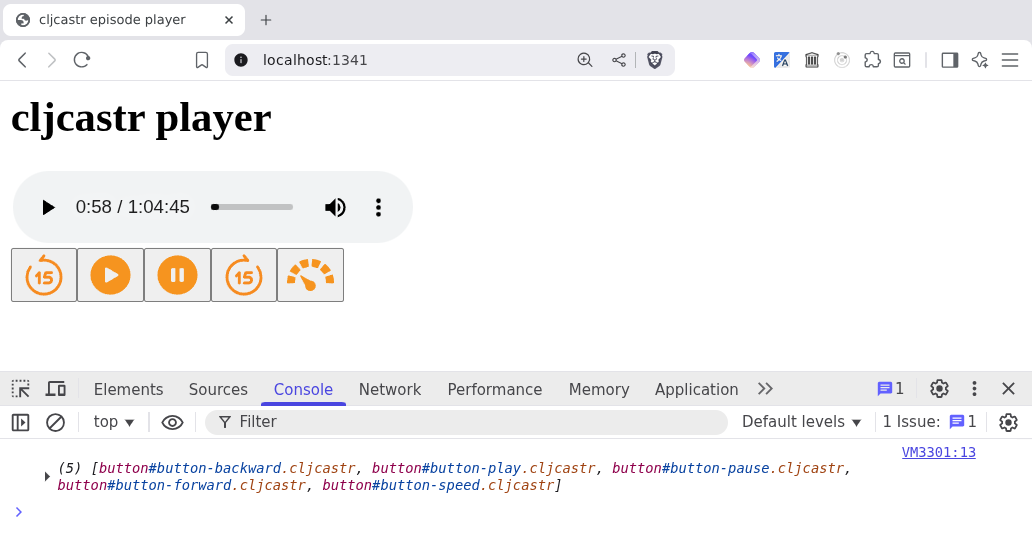
The only problem with this approach is that our buttons now look like, well, buttons. 😅
Let's restyle them a bit so they look like they did before:
(ns cljcastr.player
  (:require [clojure.string :as str]))

;; ...
;; (defn create-el ...)

(defn create-button
  ([button-name button]
   (create-button button-name button {}))
  ([button-name {:keys [label src click-handler]} ctx]
   (let [button-id (str "button-" (name button-name))
         button-el (create-el {:tag "button"
                               :attrs {:id button-id
                                       :class (render "cljcastr {{button-class}}" ctx)
                                       :aria-label (render label ctx)}})
         img-el (create-el {:tag "img"
                            :attrs {:id (str button-id "-icon")
                                    :class (render "cljcastr {{img-class}}" ctx)
                                    :src src
                                    :draggable false}})]
     (set-styles! button-el {:padding 0
                             :margin 0
                             :border 0
                             :background "transparent"
                             :cursor "pointer"})
     (.addEventListener button-el "click" click-handler)
     (.appendChild button-el img-el)
     button-el)))

;; (defn skip-forward! ...)
;; ...

(comment

  ;; ...

  (.replaceChildren playback-controls-container)
  ;; => nil

  (def playback-buttons
    (->> [:backward :play :pause :forward :speed]
         (map (fn [button-name]
                [button-name (get playback-controls button-name)]))
         (map (fn [[button-name button]]
                (let [button-el (create-button button-name button
                                               {:seek-dur-sec seek-dur-sec
                                                :button-class "playback-button"
                                                :img-class "playback-icon"})]
                  (-> button-el
                      .-firstChild
                      (set-styles! {:width "35px"
                                    :filter (str "invert(59%) sepia(92%) saturate(611%) "
                                                 "hue-rotate(343deg) brightness(97%) contrast(99%)")}))
                  button-el)))
         log))
  ;; => #'cljcastr.player/playback-buttons

  (doseq [el playback-buttons]
    (.appendChild playback-controls-container el))
  ;; => nil

  (def play-button (js/document.querySelector "#button-play"))
  ;; => #'cljcastr.player/play-button

  (def pause-button (js/document.querySelector "#button-pause"))
  ;; => #'cljcastr.player/play-button

  (def forward-button (js/document.querySelector "#button-forward"))
  ;; => #'cljcastr.player/forward-button

  (def backward-button (js/document.querySelector "#button-backward"))
  ;; => #'cljcastr.player/backward-button

  (.addEventListener play-button "click"
                     (fn [ev]
                       (log ev)
                       (.play (js/document.querySelector "audio.cljcastr"))))
  ;; => nil

  (.addEventListener pause-button "click"
                     (fn [ev]
                       (log ev)
                       (.pause (js/document.querySelector "audio.cljcastr"))))
  ;; => nil

  (.addEventListener forward-button "click"
                     (fn [ev]
                       (log ev)
                       (skip-forward! audio seek-dur-sec)))
  ;; => nil

  (.addEventListener backward-button "click"
                     (fn [ev]
                       (log ev)
                       (skip-backward! audio seek-dur-sec)))
  ;; => nil

  )
Now our buttons look like they did before! 🎉
However, recreating these buttons is getting a little tedious. Let's do some cleaning up.
First of all, our log function is a little limited. It would be nice if we could include a log message in addition to whatever data we're logging. In other words, we'd like to do this:
(comment

  ;; ...

  (log "Something happened!" {:foo 1, :bar 2})
  ;; => "Something happened!"

  )
But if we look at the console now, we only see the message logged and not the data:
Something happened! nrepl.cljs:10
Luckily, the fix is pretty straightforward:
(ns cljcastr.player
  (:require [clojure.string :as str]))

(defn log [& args]
  (apply js/console.log (map clj->js args))
  (last args))

;; (defn render ...)
;; ...

(comment

  ;; ...

  (log "Something happened!" {:foo 1, :bar 2})
  ;; => {:foo 1, :bar 2}

  )
The value returned is what we wanted, and the console looks good as well:
Something happened! ‣ {foo: 1, bar: 2} nrepl.cljs:10
Next annoyance: all those js/document.querySelector calls. Extraction!
(ns cljcastr.player
  (:require [clojure.string :as str]))

;; ...
;; (defn render ...)

(defn get-el
  "Returns the element matching the specified CSS selector. If `selector` is
   already an element, just returns the element."
  [selector]
  (if (instance? js/Element selector)
    selector
    (js/document.querySelector selector)))

;; (defn get-styles ...)
;; ...

(comment

  ;; ...

  (get-el "#button-play")
  ;; => #object[HTMLButtonElement [object HTMLButtonElement]]

  )
Might as well have a function to get a list of elements too:
(ns cljcastr.player
  (:require [clojure.string :as str]))

;; ...
;; (defn get-el ...)

(defn get-els
  "Returns a sequence containing the elements matching the specified CSS
   selector."
  [selector]
  (->> (js/document.querySelectorAll selector)
       seq))

;; (defn get-styles ...)
;; ...

(comment

  ;; ...

  (get-els "#playback-controls > button")
  ;; => (#object[HTMLButtonElement [object HTMLButtonElement]]
  ;;     #object[HTMLButtonElement [object HTMLButtonElement]]
  ;;     #object[HTMLButtonElement [object HTMLButtonElement]]
  ;;     #object[HTMLButtonElement [object HTMLButtonElement]]
  ;;     #object[HTMLButtonElement [object HTMLButtonElement]])

  )
How about one to return the children of an element?
(ns cljcastr.player
  (:require [clojure.string :as str]))

;; ...
;; (defn get-els ...)

(defn get-children [el]
  (-> (get-el el)
      .-childNodes
      seq))

;; (defn get-styles ...)
;; ...

(comment

  ;; ...

  (-> (get-children "#playback-controls")
      log)
  ;; => (#object[HTMLButtonElement [object HTMLButtonElement]]
  ;;     #object[HTMLButtonElement [object HTMLButtonElement]]
  ;;     #object[HTMLButtonElement [object HTMLButtonElement]]
  ;;     #object[HTMLButtonElement [object HTMLButtonElement]]
  ;;     #object[HTMLButtonElement [object HTMLButtonElement]])

  )
We added another nicety there: by using get-el, our function can take either an element or a CSS selector as its argument. Let's continue to use this pattern as we add a function for adding a child to an element:
But if we look at the console, we see something extremely odd:
                                                                      nrepl.cljs:10
  ‣ he {value: button#backward, Ee: ArrayIterator, Ag: null, F: 8388672, M: 0}
The answers, my friend, are blowing in the wind of get-children:
(defn get-children [el]
  (-> (get-el el)
      .-childNodes
      seq))
We're taking the childNodes attribute of our HTMLDivElement, which is a NodeList object:
(comment

  ;; ...

  (-> (get-el "#playback-controls")
      .-childNodes
      log)
  ;; => #object[NodeList [object NodeList]]

  )
This looks great in the console:
                                                                      nrepl.cljs:10
    NodeList(5) [button#button-backward.cljcastr.playback-button,
    button#button-play.cljcastr.playback-button,
  ‣ button#button-pause.cljcastr.playback-button,
    button#button-forward.cljcastr.playback-button,
    button#button-speed.cljcastr.playback-button]
But we can't use it in Clojure all that well:
(comment

  ;; ...

  (-> (get-el "#playback-controls")
      .-childNodes
      count)
  ;; => "#error {:message \"No protocol method ICounted.-count defined for type object: [object NodeList]\", ...}"

  )
That's why get-children adds the call to seq at the end. That lets normal Clojure code deal with the list of children, but as we've seen, it doesn't look good in the console when logged.
Let's see what we can do about this:
(comment

  ;; ...

  (-> (get-children "#playback-controls")
      vec
      log)
  ;; => [#object[HTMLButtonElement [object HTMLButtonElement]]
  ;;     #object[HTMLButtonElement [object HTMLButtonElement]]
  ;;     #object[HTMLButtonElement [object HTMLButtonElement]]
  ;;     #object[HTMLButtonElement [object HTMLButtonElement]]
  ;;     #object[HTMLButtonElement [object HTMLButtonElement]]]

  )
Now the console is looking quite reasonable!
                                                                      nrepl.cljs:10
    (5) [button#button-backward.cljcastr.playback-button,
    button#button-play.cljcastr.playback-button,
  ‣ button#button-pause.cljcastr.playback-button,
    button#button-forward.cljcastr.playback-button,
    button#button-speed.cljcastr.playback-button]
Let's see if we can apply what we've learned here to our log function:
(ns cljcastr.player
  (:require [clojure.string :as str]))

(defn log [& args]
  (let [seq->vec #(if (seq? %) (vec %) %)]
    (apply js/console.log (map (comp clj->js seq->vec) args)))
  (last args))

  ;; (defn render ...)
  ;; ...

(comment

  ;; ...

  (-> (get-children "#playback-controls")
      log)
  ;; => (#object[HTMLButtonElement [object HTMLButtonElement]]
  ;;     #object[HTMLButtonElement [object HTMLButtonElement]]
  ;;     #object[HTMLButtonElement [object HTMLButtonElement]]
  ;;     #object[HTMLButtonElement [object HTMLButtonElement]]
  ;;     #object[HTMLButtonElement [object HTMLButtonElement]])

  )
(ns cljcastr.player
  (:require [clojure.string :as str]))

;; ...
;; (defn get-children ...)

(defn add-child! [parent-el el]
  (let [parent-el (get-el parent-el)]
    (-> parent-el
        (.appendChild el))
    parent-el))

;; (defn get-styles ...)
;; ...

(comment

  ;; ...

  (->> (add-child! "#playback-controls"
                   (create-el {:tag "span"
                               :text "Some nonsense"}))
       (log "I got a new child"))
  ;; => #object[HTMLDivElement [object HTMLDivElement]]

  )
Wanna clear all the children of an element?
(ns cljcastr.player
  (:require [clojure.string :as str]))

;; ...
;; (defn add-child! ...)

(defn clear-children! [el]
  (let [el (get-el el)]
    (.replaceChildren el)
    el))

;; (defn get-styles ...)
;; ...

(comment

  ;; ...

  (->> (clear-children! "#playback-controls")
       (log "Empty nest"))
  ;; => #object[HTMLDivElement [object HTMLDivElement]]

  )
Set the children of an element?
(ns cljcastr.player
  (:require [clojure.string :as str]))

;; ...
;; (defn clear-children! ...)

(defn set-children! [parent-el els]
  (let [parent-el (get-el parent-el)]
    (clear-children! parent-el)
    (doseq [el els]
      (add-child! parent-el el))
    parent-el))

;; (defn get-styles ...)
;; ...

(comment

  ;; ...

  (->> (set-children! "#playback-controls" playback-buttons)
       log)
  ;; => #object[HTMLDivElement [object HTMLDivElement]]

  )
Final annoyance: all the repetition in the click handlers. Let's extract a function for that as well:
(ns cljcastr.player
  (:require [clojure.string :as str]))

;; ...
;; (defn create-el ...)

(defn add-event-listener! [el event-type f]
  (let [el (get-el el)]
    (.addEventListener el event-type
                       (fn [ev]
                         (log (str "Handling " event-type " on")
                              el ev)
                         (if f
                           (f ev)
                           (log "No event handler function defined"))))
    (log "Added listener for" event-type "events to" el)
    el))

;; (defn create-button ...)
;; ...

(comment

  ;; ...

  (add-event-listener! "#button-speed" "click"
                       #(log "Should probably do something with this event, eh?" %))
  ;; => #object[HTMLButtonElement [object HTMLButtonElement]]

  )
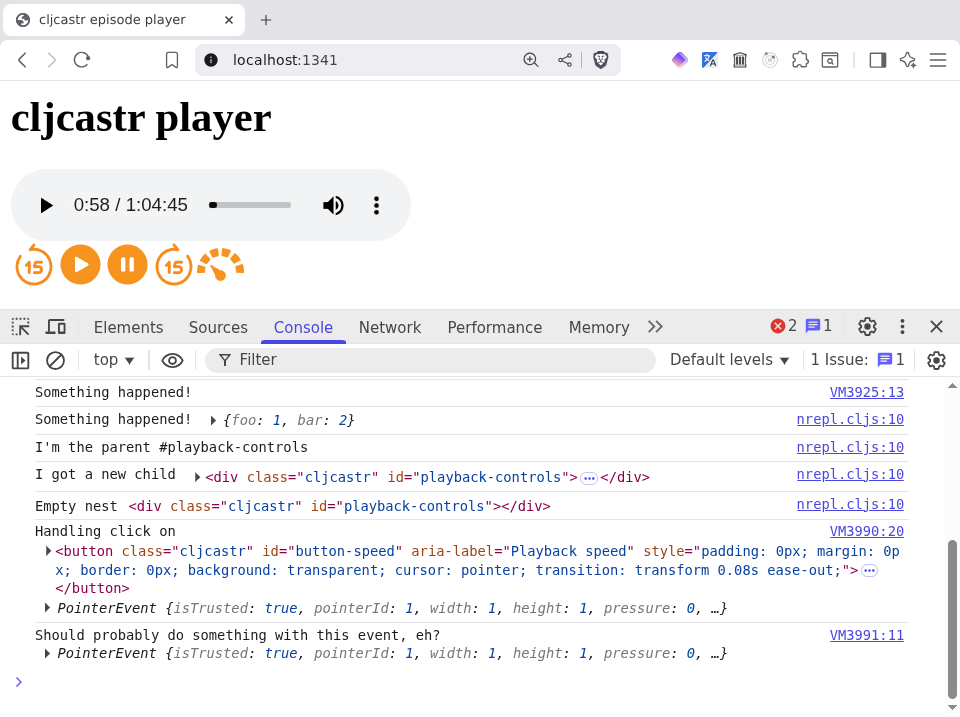
And if we now click the playback speed button, the console rewards us with some rich logging:
With all these awesome functions, we can finally recreate our buttons much more concisely:
(ns cljcastr.player
  (:require [clojure.string :as str]))

;; ...
;; (defn add-event-listener! ...)

(defn create-button
  ([button-name button]
   (create-button button-name button {}))
  ([button-name {:keys [label src click-handler]} ctx]
   (let [button-id (str "button-" (name button-name))]
     (-> (create-el {:tag "button"
                     :attrs {:id button-id
                             :class (render "cljcastr {{button-class}}" ctx)
                             :aria-label (render label ctx)}})
         (set-styles! {:padding 0
                       :margin 0
                       :border 0
                       :background "transparent"
                       :cursor "pointer"})
         (add-event-listener! "click" click-handler)
         (add-child! (create-el {:tag "img"
                                 :attrs {:id (str button-id "-icon")
                                         :class (render "cljcastr {{img-class}}" ctx)
                                         :src src
                                         :draggable false}}))))))

;; (defn skip-forward! ...)
;; ...

(comment

  ;; ...

  (def playback-controls
    {:play {:src "https://www.svgrepo.com/show/436852/play-circle-fill.svg"
            :label "Play"
            :click-handler #(.play (get-el "audio.cljcastr"))}
     :pause {:src "https://www.svgrepo.com/show/436829/pause-circle-fill.svg"
             :label "Pause"
             :click-handler #(.pause (get-el "audio.cljcastr"))}
     :forward {:src "https://www.svgrepo.com/show/495321/forward-15-seconds.svg"
               :label "Forward {{seek-dur-sec}} seconds"
               :click-handler #(skip-forward! (get-el "audio.cljcastr") seek-dur-sec)}
     :backward {:src "https://www.svgrepo.com/show/495036/backward-15-seconds.svg"
                :label "Back {{seek-dur-sec}} seconds"
                :click-handler #(skip-backward! (get-el "audio.cljcastr") seek-dur-sec)}
     :speed {:src "https://www.svgrepo.com/show/151785/speed-meter.svg"
             :label "Playback speed"}})
  ;; => #'cljcastr.player/playback-controls

  (def playback-buttons
    (->> [:backward :play :pause :forward :speed]
         (map (fn [button-name]
                [button-name (get playback-controls button-name)]))
         (map (fn [[button-name button]]
                (let [button-el (create-button button-name button
                                               {:seek-dur-sec seek-dur-sec
                                                :class "playback-control"})]
                  (-> (get-children button-el)
                      first
                      (set-styles! {:width "35px"
                                    :filter "invert(59%) sepia(92%) saturate(611%) hue-rotate(343deg) brightness(97%) contrast(99%)"}))
                  button-el)))
         log))
  ;; => #'cljcastr.player/playback-buttons

  (set-children! "#playback-controls" playback-buttons)
  ;; => #object[HTMLDivElement [object HTMLDivElement]]

  )
OK, so we've fixed the non-obvious (to those of us not using screen readers) problem with the player. Scratching our heads, we try to recall what the obvious problem was. 🤔
Oh yeah! Two sets of controls, right. Let's fix.
Making our audio element disappear isn't that hard. Let's use this as an excuse to create a few more helper functions and spread the get-el pattern a little wider as well:
(ns cljcastr.player
  (:require [clojure.string :as str]))

;; ...
;; (defn get-els ...)

(defn get-attr
  "Returns the value of the specified attribute."
  [el attr]
  (let [el (get-el el)]
    (.getAttribute el (name attr))))

(defn set-attr!
  "Sets the value of the specified attribute."
  [el attr v]
  (let [el (get-el el)]
    (.setAttribute el (name attr) v)
    el))

(defn set-attrs! [el attrs]
  (let [el (get-el el)]
    (doseq [[k v] attrs]
      (.setAttribute el (name k) v))
    el))

(defn get-id
  "Returns the ID of an element."
  [el]
  (let [el (get-el el)]
    (.-id el)))

(defn set-id!
  "Sets the ID of an element."
  [el id]
  (let [el (get-el el)]
    (when-not (empty? id)
      (set-attr! el :id id))
    el))

(defn get-name
  "Returns the tag name of an element."
  [el]
  (let [el (get-el el)]
    (.-localName el)))

(defn get-text
  "Returns the inner text of an element."
  [el]
  (let [el (get-el el)]
    (or (.-textContent el)
        (.-innerText el))))

(defn set-text! [el text]
  (let [el (get-el el)]
    (when-not (empty? text)
      (set! (.-textContent el) text))
    el))

(defn get-classes
  "Returns the classes of the specified element as a list of class names."
  [el]
  (let [el (get-el el)]
    (->> (str/split (.-classList el) #"\s")
         (remove empty?))))

(defn set-classes!
  "Sets the classes of the specified element. Classes may either be a list or a
   string.

   Example:

     ;; These two are equivalent
     (set-classes el [\"foo\" \"bar\"])
     (set-classes el \"foo bar\")"
  [el classes]
  (let [el (get-el el)]
    (when-not (empty? classes)
      (set! (.-classList el) (if (string? classes)
                               classes
                               (str/join " " classes))))
    el))

;; (defn get-children ...)
;; ...
;; (defn set-children! ...)

(defn get-styles
  "Returns the inline styles of an element as a map of style name to value."
  [el]
  (let [styles (-> (get-el el)
                   (.getAttribute "style")
                   (str/split #";\s+"))]
    (->> styles
         (remove empty?)
         (map #(let [[k v] (str/split % #":\s+")]
                 [(keyword k) v]))
         (into {}))))

(defn set-styles!
  "Sets the styles of an element from a map of style name to value."
  [el styles]
  (let [el (get-el el)]
    (when-not (empty? styles)
      (set! (.-style el) (->> styles
                              (map (fn [[k v]]
                                     (str (name k) ": " v)))
                              (str/join "; "))))
    el))

(defn add-styles!
  "Given a map of style name to value, adds the styles to the element."
  [el styles]
  (-> el
      (set-styles! (merge (get-styles el) styles))))

(defn add-style!
  "Adds a style to an element"
  [el style-name style-value]
  (-> el
      (add-styles! {style-name style-value})))

;; (defn create-el)
;; ...
Now that we have all of this awesomeness, we can streamline create-el by accepting a few more keys:
:id "foo" instead of :attrs {:id "foo"}:classes ["foo" "bar"] instead of :attrs {:class "foo bar"}:text to set the text content of the elementWe also have to update create-button to take advantage of this.
(ns cljcastr.player
  (:require [clojure.string :as str]))

;; ...
;; (defn add-style! ...)

(defn create-el [{:keys [tag id classes text attrs] :as args}]
  (-> (js/document.createElement tag)
      (set-attrs! attrs)
      (set-id! id)
      (set-classes! classes)
      (set-text! text)))

;; (defn add-event-listener! ...)
;; ...

(defn create-button
  ([button-name button]
   (create-button button-name button {}))
  ([button-name {:keys [label src click-handler]} ctx]
   (let [button-id (str "button-" (name button-name))]
     (-> (create-el {:tag "button"
                     :id button-id
                     :classes ["cljcastr"
                               (render "{{button-class}}" ctx)]
                     :attrs {:aria-label (render label ctx)}})
         (set-styles! {:padding 0
                       :margin 0
                       :border 0
                       :background "transparent"
                       :cursor "pointer"})
         (add-event-listener! "click" click-handler)
         (add-child! (create-el {:tag "img"
                                 :id (str button-id "-icon")
                                 :classes ["cljcastr"
                                           (render "{{img-class}}" ctx)]
                                 :attrs {:src src
                                         :draggable false}}))))))

;; (defn skip-forward! ...)
;; ...

(comment

  ;; ...

  (add-style! audio :display "none")
  ;; => #object[HTMLAudioElement [object HTMLAudioElement]]

  (def playback-buttons
    (->> [:backward :play :pause :forward :speed]
         (map (fn [button-name]
                [button-name (get playback-controls button-name)]))
         (map (fn [[button-name button]]
                (let [button-el (create-button button-name button
                                               {:seek-dur-sec seek-dur-sec
                                                :button-class "playback-button"
                                                :img-class "playback-icon"})]
                  (-> (get-children button-el)
                      first
                      (set-styles! {:width "35px"
                                    :filter (str "invert(59%) sepia(92%) saturate(611%) "
                                                 "hue-rotate(343deg) brightness(97%) contrast(99%)")}))
                  button-el)))
         log))
  ;; => #'cljcastr.player/playback-buttons

  (set-children! "#playback-controls" playback-buttons)
  ;; => #object[HTMLDivElement [object HTMLDivElement]]

  )
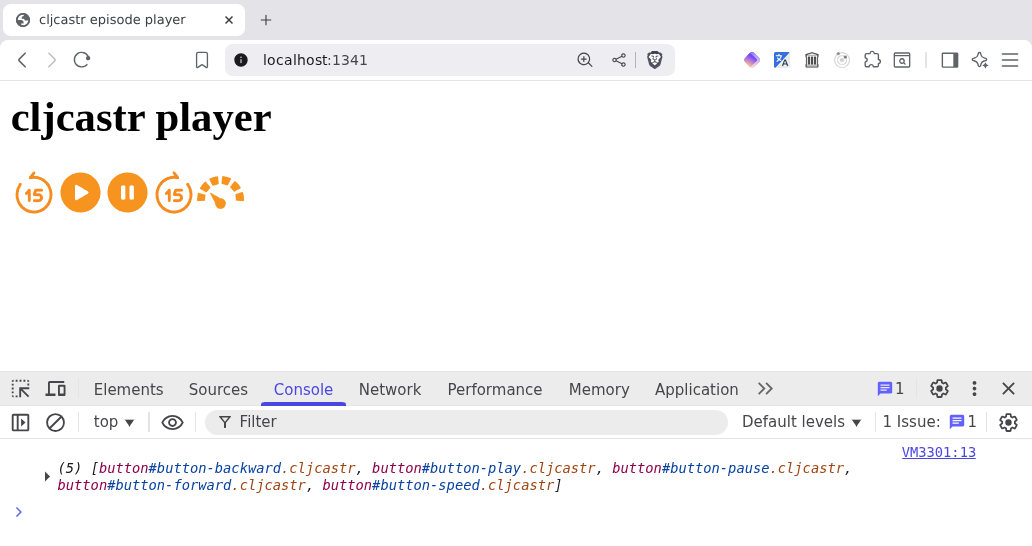
Testing our controls, we verify that they still work. However, we've lost three important things:
Actually, on the third point, we like Overcast's choice to display the time remaining instead of the duration, so let's do that as well.
Having made these bold design decisions, let's get to implementing! We'll start with the easy stuff, displaying the time elapsed and remaining:
(comment

  ;; ...

  (def elapsed-time (create-el {:tag "span"
                                :text (str (.-currentTime audio))
                                :classes ["cljcastr"]
                                :id "elapsed-time"}))
  ;; => #'cljcastr.player/cur-time

  (def remaining-time (create-el {:tag "span"
                                  :text (str (- (.-duration audio)
                                                (.-currentTime audio)))
                                  :classes ["cljcastr"]
                                  :id "remaining-time"}))
  ;; => #'cljcastr.player/remaining-time

  (doseq [el [elapsed-time remaining-time]]
    (add-child! "#playback-controls" el))
  ;; => nil

  )
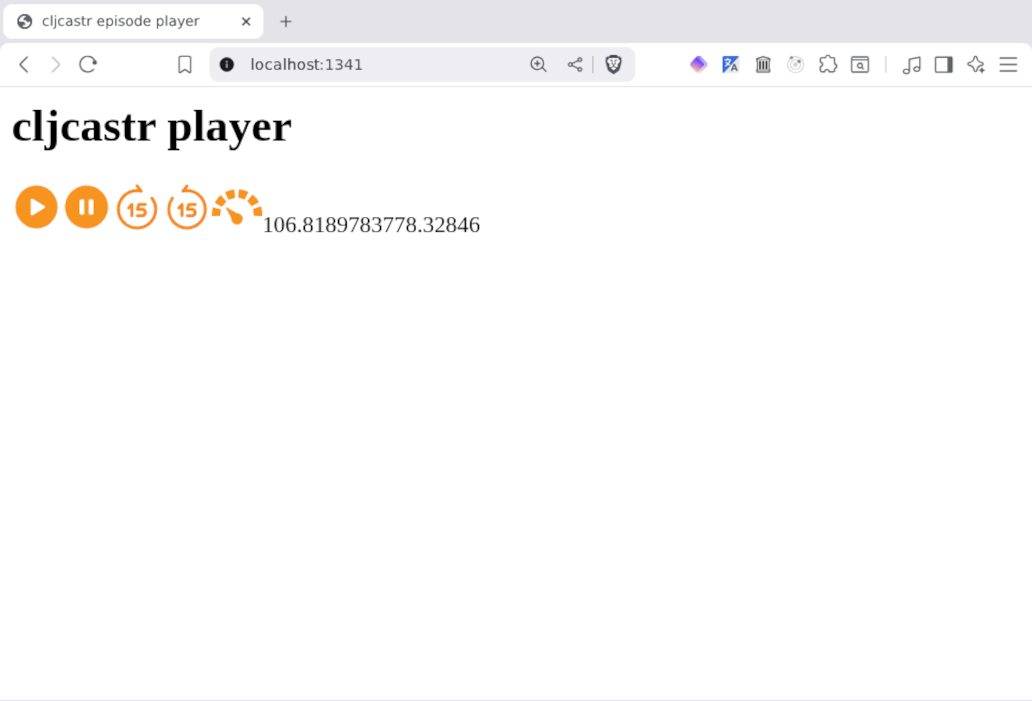
Well, this is something, at least. Something incredibly confusing and also ugly. 😭
Let's enumerate the problems:
h:mm:ss.Now that we know what's wrong, let's tackle things one at a time.
How can we convert from seconds to h:mm:ss?
(comment

  ;; ...

  (set! (.-currentTime audio) 3645)
  ;; => 3645

  (let [secs (.-currentTime audio)
        h (-> secs (/ 3600) int)
        mm (-> secs (/ 60) (- (* h 60)) int)
        ss (-> secs (mod 60) int)]
    (str (int h) ":" (int mm) ":" (int ss)))
  ;; => "1:0:45"

  )
OK, not a bad start. Let's zero-pad the minutes and seconds, though, because "1:00:45" looks way better than "1:0:45". 😉
(comment

  ;; ...

  (let [secs (.-currentTime audio)
        h (-> secs (/ 3600) int)
        mm (-> secs (/ 60) (- (* h 60)) int)
        ss (-> secs (mod 60) int)
        zero-pad #(-> % int str (str/replace #"^(\d)$" "0$1"))]
    (str (int h) ":" (zero-pad mm) ":" (zero-pad ss)))
  ;; => "1:00:45"

  (set! (.-currentTime audio) 46)
  ;; => 46

  (let [secs (.-currentTime audio)
        h (-> secs (/ 3600) int)
        mm (-> secs (/ 60) (- (* h 60)) int)
        ss (-> secs (mod 60) int)
        zero-pad #(-> % int str (str/replace #"^(\d)$" "0$1"))]
    (str (int h) ":" (zero-pad mm) ":" (zero-pad ss)))
  ;; => "0:00:46"

  )
Hrm, maybe one more tweak. It's conventional to omit the hour(s) portion of timestamps less than an hour:
(comment

  ;; ...

  (let [secs (.-currentTime audio)
        h (-> secs (/ 3600) int)
        mm (-> secs (/ 60) (- (* h 60)) int)
        ss (-> secs (mod 60) int)
        zero-pad #(-> % int str (str/replace #"^(\d)$" "0$1"))]
    (str (if (pos? (int h))
           (str (int h) ":")
           "")
         (zero-pad mm) ":" (zero-pad ss)))
  ;; => "00:46"

  )
Nice! Now let's turn this into a function:
(ns cljcastr.player
  (:require [clojure.string :as str]))

;; ...
;; (defn render ...)

(defn secs->ts
  "Given a number of seconds, returns a timestamp of the form h:mm:ss."
  [secs]
  (let [h (-> secs (/ 3600) int)
        mm (-> secs (/ 60) (- (* h 60)) int)
        ss (-> secs (mod 60) int)
        zero-pad #(-> % int str (str/replace #"^(\d)$" "0$1"))]
    (str (if (pos? (int h))
           (str (int h) ":")
           "")
         (zero-pad mm) ":" (zero-pad ss))))

;; (defn get-el ...)
;; ...

(comment

  ;; ...

  ;; Elapsed time
  (secs->ts (.-currentTime audio))
  ;; => "00:46"

  ;; Remaining time
  (secs->ts (- (.-duration audio) (.-currentTime audio)))
  ;; => "1:28:44"

  (-> elapsed-time
      (set-text! (secs->ts (.-currentTime audio)))
      log)
  ;; => #object[HTMLSpanElement [object HTMLSpanElement]]

  (-> remaining-time
      (set-text! (str "-" (secs->ts (- (.-duration audio) (.-currentTime audio)))))
      log)
  ;; => #object[HTMLSpanElement [object HTMLSpanElement]]

  )
OK, we've solved problem number 1. 🎉
Problems 2 and 3 are just styling, so the fixes are pretty straightforward:
(comment

  ;; ...

  (doseq [el [elapsed-time remaining-time]]
    (add-styles! el {:margin "0 5px 0 5px"
                     :font-size "0.7rem"
                     :color "grey"}))
  ;; => nil

  )
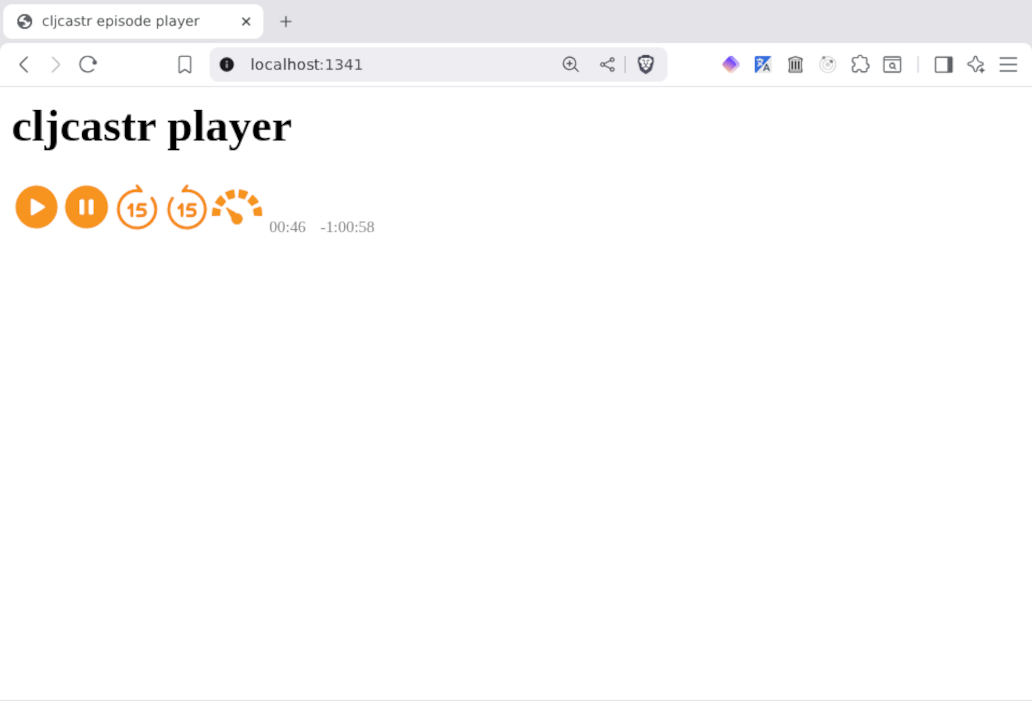
Whilst we're at it, let's fix another annoyance: with our current create-el function, we either have to call add-styles! (or set-styles!) afterwards, or do the stringifying of the styles ourselves:
(create-el {:tag "div"
            :attrs {:id "whatever"
                    :style "margin: 0 5px 0 5px; font-size: 0.7rm; color: grey"}})
We also have the same issue with classes and ID. 🙁
But instead of wallowing in misery, let's modify create-el to take a :styles key:
(ns cljcastr.player
  (:require [clojure.string :as str]))

;; ...
;; (defn add-style! ...)

(defn create-el [{:keys [tag id classes styles text attrs] :as args}]
  (-> (js/document.createElement tag)
      (set-attrs! attrs)
      (set-id! id)
      (set-classes! classes)
      (set-styles! styles)
      (set-text! text)))

;; (defn add-event-listener! ...)
;; ...

(comment

  ;; ...

  (let [el (-> (create-el {:tag "span"
                           :id "elapsed-time"
                           :classes ["cljcastr"]
                           :text (secs->ts 123)
                           :styles {:margin "0 5px 0 5px"
                                    :font-size "0.7rem"
                                    :color "grey"}})
               log)]
    (add-child! "#playback-controls" el))
  ;; => #object[HTMLDivElement [object HTMLDivElement]]

  )
Now, let's address the last problem.
It is now time to employ the most awesome technology known to humankind to figure out our layout: ASCII art!
+-----------------------------------+
|            Podcast title          |
+-----------------------------------+
|            Episode title          |
+-----------------------------------+
|            Release date           |
+-----------------------------------+
|            Episode art            |
+-----------------------------------+
|     Elapsed time | Remaining time |
+-----------------------------------+
|            Progress bar           |
+-----------------------------------+
| Backward | Play | Pause | Forward |
+-----------------------------------+
|           Playback speed          |
+-----------------------------------+
We've been using the body element to hold our player, but we should probably deploy a div at this point so we can style things according to our liking. We can also group similar things together in divs, something like this:
+ episode-container ----------------------------+
|                                               |
| + episode-intro ----------------------------+ |
| |                Podcast title              | |
| +-------------------------------------------+ |
| |                Episode title              | |
| +-------------------------------------------+ |
| |                Release date               | |
| +-------------------------------------------+ |
|                                               |
+-----------------------------------------------+
|                  Episode art                  |
+-----------------------------------------------+
|                Audio (hidden)                 |
+-----------------------------------------------+
|                                               |
| + progress ---------------------------------+ |
| |       Elapsed time | Remaining time       | |
| +-------------------------------------------+ |
| |                Progress bar               | |
| +-------------------------------------------+ |
|                                               |
+-----------------------------------------------+
|                                               |
| + playback-controls ------------------------+ |
| | Backward | Play | Pause | Forward | Speed | |
| +-------------------------------------------+ |
|                                               |
+-----------------------------------------------+
Let's start by creating the new nested containers (we already have one for playback controls) and populating them with some hard-coded data:
(comment

  ;; ...

  (def episode-container (create-el {:tag "div"
                                     :id "episode-container"
                                     :classes ["cljcastr"]
                                     :styles {:width "100%"
                                              :display "flex"
                                              :flex-direction "column"
                                              :align-items "center"}}))
  ;; => #'cljcastr.player/episode-container

  (def episode-info
    (-> (create-el {:tag "div"
                    :id "episode-info"
                    :classes ["cljcastr"]
                    :styles {:max-width "420px"
                             :text-align "center"}})
        (set-children! [(create-el {:tag "h3"
                                    :id "podcast-title"
                                    :classes ["cljcastr"]
                                    :text "defn"})
                        (create-el {:tag "h2"
                                    :id "episode-title"
                                    :classes ["cljcastr"]
                                    :text "876b4c306172 Cora Sutton"})
                        (create-el {:tag "span"
                                    :id "episode-date"
                                    :classes ["cljcastr"]
                                    :styles {:color "grey"}
                                    :text "July 9, 2025"})])
        log))
  ;; => #'cljcastr.player/episode-info

  (def episode-art
    (-> (create-el {:tag "div"
                    :id "episode-art-container"
                    :classes ["cljcastr"]})
        (add-child! (create-el {:tag "img"
                                :id "episode-art"
                                :classes ["cljcastr"]
                                :styles {:width "400px"
                                         :border-radius "5%"
                                         :padding "10px"}
                                :attrs {:src "https://media.zencastr.com/image-files/5d9048546bacd9001de88f1c/a5b922ac-7294-4d58-9a33-4308f5d4f50b.png"}}))
        log))
  ;; => #'cljcastr.player/episode-art

  (def progress (create-el {:tag "div"
                            :id "progress"
                            :classes ["cljcastr"]
                            :styles {:width "390px"
                                     :margin "1.5em auto 0 auto"}}))
  ;; => #'cljcastr.player/progress

  (def playback-controls-container (-> (create-el {:tag "div"
                                                   :id "playback-controls"
                                                   :classes ["cljcastr"]})
                                       (set-children! playback-buttons)
                                       log))
  ;; => #'cljcastr.player/playback-controls-container

  (def playback-speed (create-el {:tag "div"
                                  :id "playback-speed"
                                  :classes ["cljcastr"]}))
  ;; => #'cljcastr.player/playback-speed

  (-> episode-container
      (set-children! [episode-info
                      episode-art
                      (-> audio
                          (set-styles! {:display "none"}))
                      progress
                      playback-controls-container
                      playback-speed])
      log)
  ;; => #object[HTMLDivElement [object HTMLDivElement]]

  (set-children! "body" [episode-container])
  ;; => #object[HTMLBodyElement [object HTMLBodyElement]]

  )
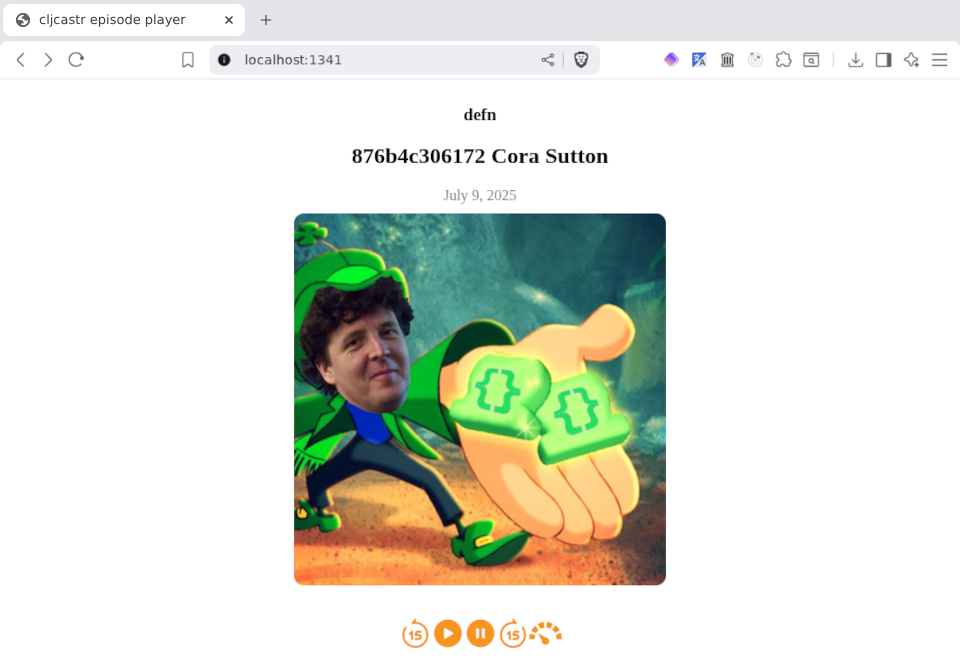
This is looking really good (relatively speaking), but there's one major component missing.
We have no idea where in the episode we are! Let's see about getting that progress bar in place.
Luckily, HTML has got us covered! There just so happens to be a progress element designed exactly for what we want to do!
(comment

  ;; ...

  (def progress-bar
    (create-el {:tag "progress"
                :id "progress-bar"
                :classes ["cljcastr"]
                :attrs {:min 0
                        :max (.-duration audio)
                        :value (.-currentTime audio)}
                :styles {:appearance "none"
                         :height "8px"
                         :width "100%"
                         :border "0"
                         :border-radius "4px"
                         :margin "0"
                         :overflow "hidden"
                         :background-color "lightgray"
                         :color "#f7931e"}}))
  ;; => #'cljcastr.player/progress-bar

  )
Now that we have the progress bar, let's add it to our #progress div, along with the current and elapsed time spans we created before:
(comment

  ;; ...

  (-> progress
      (set-children! [(-> elapsed-time
                          (add-styles! {:float "left"}))
                      (-> remaining-time
                          (add-styles! {:float "right"}))
                      progress-bar])
      log)
  ;; => #object[HTMLDivElement [object HTMLDivElement]]

  )
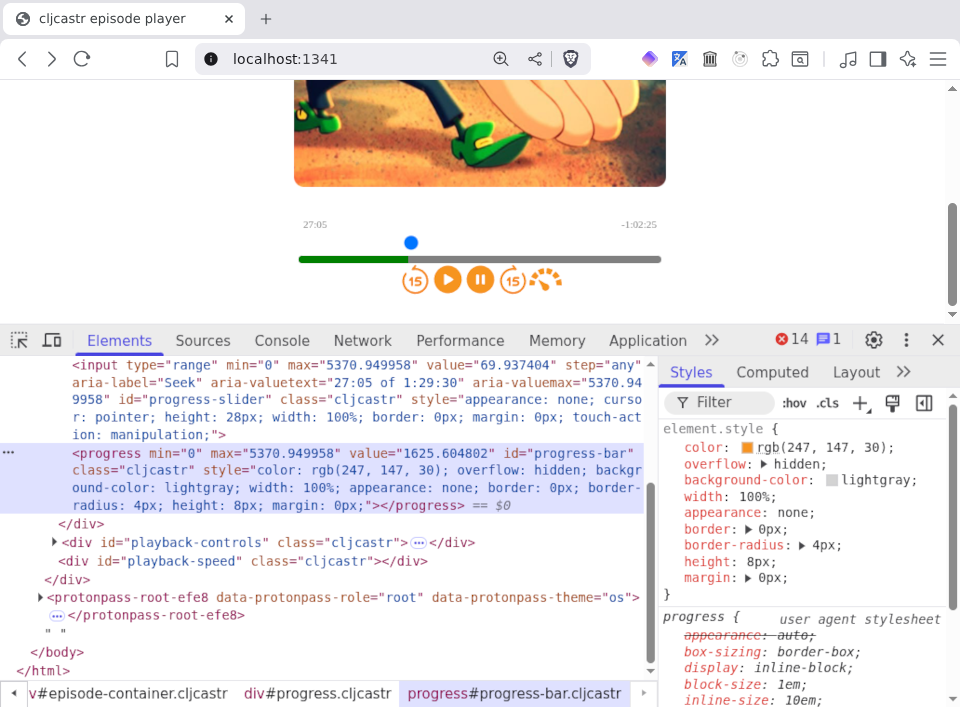
Hurrah! I mean, it's a bit ugly, but at least it's there! 😅
Let's click the play button, then skip forward a few times. Now, we can try setting the value of the progress bar to the current time of the audio element:
(comment

  ;; ...

  (set! (.-value progress-bar) (.-currentTime audio))
  ;; => 370.277385

  )
We should see the progress bar move along a bit.
This is great and all, but it would be lovely to have a way to actually move forward and backward in the episode by clicking or dragging on the progress bar. You know, the way every audio player ever works?
Sadly, the progress bar itself isn't really designed for this. We could certainly hack it up with some "click" event listeners and a lot of arithmetic, but surely there must be a better way, right?
And indeed there is! HTML has an input element of type range that is designed for exactly this case! Let's try it out:
(comment

  ;; ...

  (def progress-slider
    (create-el {:tag "input"
                :id "progress-slider"
                :classes ["cljcastr"]
                :attrs {:type "range"
                        :min 0
                        :max (.-duration audio)
                        :value (.-currentTime audio)
                        :step "any"
                        :aria-label "Seek"
                        :aria-valuetext (str (secs->ts (.-currentTime audio))
                                             " of "
                                             (secs->ts (.-duration audio)))
                        :aria-valuemax (.-duration audio)}
                :styles {:appearance "none"
                         :cursor "pointer"
                         :height "28px"
                         :width "100%"
                         :border "0"
                         :margin "0"
                         :touch-action "manipulation"}}))
  ;; => #'cljcastr.player/progress-slider

  (-> progress
      (set-children! [(-> elapsed-time
                          (add-styles! {:float "left"}))
                      (-> remaining-time
                          (add-styles! {:float "right"}))
                      progress-slider
                      progress-bar])
      log)
  ;; => #object[HTMLDivElement [object HTMLDivElement]]

  )
OK, a blue dot has appeared. Let's skip forward in the episode a bit more, then update the value of the slider to the current playback position. Oh yeah, might as well update the value of the progress bar as well, whilst we're at it:
(comment

  ;; ...

  (doseq [el [progress-slider progress-bar]]
    (set! (.-value el) (.-currentTime audio)))
  ;; => nil

  )
Now, how about setting the playback position in the episode when we click or drag the slider?
(comment

  ;; ...

  (add-event-listener! progress-slider "input"
                       #(->> % .-target .-value (set! (.-currentTime audio))))
  ;; => #object[HTMLInputElement [object HTMLInputElement]]

  )
We now have a pretty good representation of playback position:
Let's see if we can keep all of these in sync. First, some code to update them all in one go:
(comment

  ;; ...

  (let [secs (.-currentTime audio)
        duration-secs (.-duration audio)]
    (set-text! elapsed-time (secs->ts secs))
    (set-text! remaining-time (str "-" (secs->ts (- duration-secs secs))))
    (.setAttribute progress-slider "aria-valuetext"
                   (str (secs->ts secs) " of " (secs->ts duration-secs)))
    (doseq [el [progress-slider progress-bar]]
      (set! (.-value el) (.-currentTime audio))))
  ;; => nil

  )
Looks like that works, so let's extract it into a function. And whilst we're at it, maybe we can extract functions for the attribute and value setting so we don't have to expose the raw DOM interactions. And for the sake of completeness, we can add getters as well:
(ns cljcastr.player
  (:require [clojure.string :as str]))

;; ...
;; (defn set-text! ...)

(defn get-value
  "Returns the value attribute of the specified element."
  [el]
  (let [el (get-el el)]
    (.-value el)))

(defn set-value!
  "Sets the value attribute of the specified element."
  [el v]
  (let [el (get-el el)]
    (set! (.-value el) v)))

;; (defn set-classes! ...)
;; ...
;; (defn skip-backward! ...)

(defn update-playback-position-indicators!
  "Given a current playback time and duration (both in seconds) and a map of
   elements, updates the elements to reflect the current playback position. The
   element map should contain the following keys:
   `:elapsed-time` - text element (for example: label, span, etc.)
   `:remaining-time` - text element (for example: label, span, etc.)
   `:progress-slider` - input element of type range
   `:progress-bar` - progress element"
  [current-secs duration-secs
   {:keys [elapsed-time remaining-time progress-slider progress-bar]}]
  (set-text! elapsed-time (secs->ts current-secs))
  (set-text! remaining-time (str "-" (secs->ts (- duration-secs current-secs))))
  (set-attr! progress-slider :aria-valuetext
             (str (secs->ts current-secs) " of " (secs->ts duration-secs)))
  (doseq [el [progress-slider progress-bar]]
    (set-value! el current-secs)))

;; ...

(comment

  ;; ...

  (update-playback-position-indicators! (.-currentTime audio) (.-duration audio)
                                        {:elapsed-time elapsed-time
                                         :remaining-time remaining-time
                                         :progress-slider progress-slider
                                         :progress-bar progress-bar})
  ;; => nil

  )
There's one final touch we should apply here before we move on. It's getting a bit silly to have to manually update these elements, right? How about we update them automatically as the episode plays? For this, we can use the timeupdatechange event of our audio element:
(comment

  ;; ...

  (add-event-listener! audio "timeupdate"
                       #(update-playback-position-indicators!
                         (.-currentTime audio) (.-duration audio)
                         {:elapsed-time elapsed-time
                          :remaining-time remaining-time
                          :progress-slider progress-slider
                          :progress-bar progress-bar}))
  ;; => #object[HTMLAudioElement [object HTMLAudioElement]]

  )
Now things are running smoothly, but there's another thing that's bothering us. The progress slider that we use to control the playback position is above the progress bar, which just looks weird, and also goes against the expectations of our hordes of users that there should be a handle on the progress bar itself that they can drag around. You know, like this:
What we'd really like is to set our slider down right on top of the progress bar. This will give us the seeking we seek (sorry) as well as a visual indication of the current playback position. In order to do this, we're going to have to learn a bit about CSS positioning.
Basically, we'll need to create a new container to hold the progress bar and the slider, and set its position style to "relative". Then, we can add our progress bar and slider as children of it, setting their position to "absolute" (relative to their parent container). Yes, I know, this is enough to make our heads explode, but I guess it makes sense once you achieve enlightenment or something?
We also need to set the z-indexes of the two elements. We set the progress bar to 0 to put it at the bottom of the stack, and the slider to 1 so it's on top. That means we need to make the background colour of the slider transparent so the progress bar can shine through in all its glory.
Finally, we position both elements 0 pixels from the left of the enclosing container, then the slider 0 pixels from the top and the progress bar 10 pixels from the top. Why 10 pixels? Well, because:
With that advanced mathematics out of the way, let's make it happen!
(comment

  ;; ...

  (def progress-container
    (create-el {:tag "div"
                :id "progress-container"
                :classes ["cljcastr"]
                :styles {:position "relative"
                         :height "28px"
                         :clear "both"}}))
  ;; => #'cljcastr.player/progress-container

  (-> progress-container
      (set-children! [(-> progress-bar
                          (add-styles! {:position "absolute"
                                        :top "10px"
                                        :left "0px"
                                        :z-index 0}))
                      (-> progress-slider
                          (add-styles! {:position "absolute"
                                        :top "0px"
                                        :left "0px"
                                        :z-index 1
                                        :background-color "transparent"}))])
      log)
  ;; => #object[HTMLDivElement [object HTMLDivElement]]

  (-> progress
      (add-styles! {:position "relative"})
      (set-children! [(-> elapsed-time
                          (add-styles! {:float "left"}))
                      (-> remaining-time
                          (add-styles! {:float "right"}))
                      progress-container])
      log)
  ;; => #object[HTMLDivElement [object HTMLDivElement]]

  )
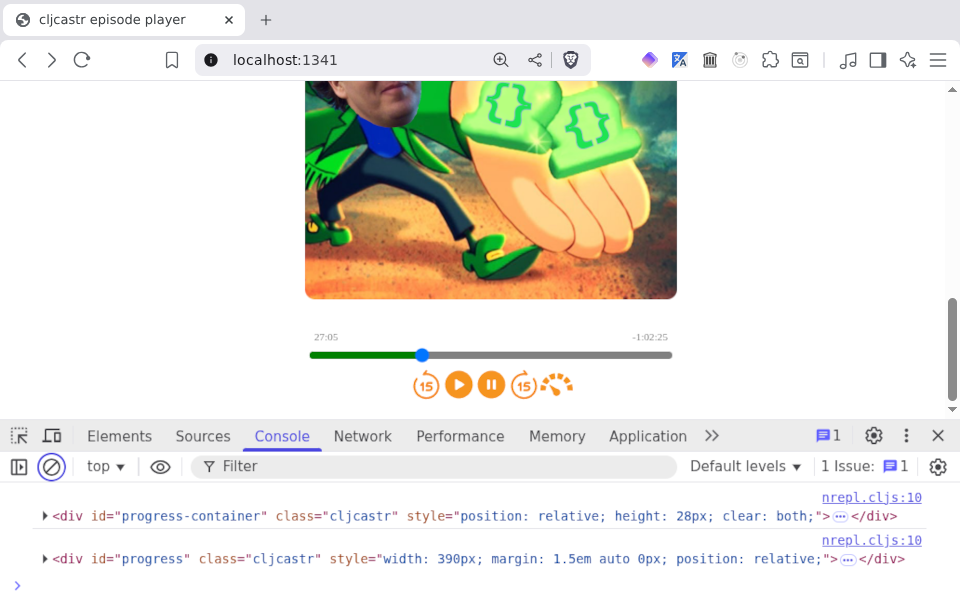
This is looking pretty good! There are a few more things we might want to do, but just as we're about to start doing some of those things, a bone-chilling thought occurs to us: what if we reload the page? We've been building our player up in the REPL one s-expression at a time, but our HTML file still has a body that looks like this:
<body>
</body>
Should a feline friend prance across the keyboard, stepping on the Ctrl and r keys simultaneously (or Apple-r, if you're one of those too-cool-for-school types), all will be lost!
Before giving in to despair, we realise that we have the awesome power of ClojureScript at our fingertips, and thus can make a permanent record of what we've done so far. And that, my dear readers, we shall endeavour to do in the new post in this series, which shall be called Scittlecastr: All You Need is Persistence.